A Digital Single Lens Reflex Camera, or DSLR, is a camera that in theory has only one advantage over a compact camera or the camera in your phone: when you look through the view finder, you see the same thing as the camera will see when the photo is taken. You use the same lens.
In many cases, this is completely irrelevant. In many settings a compact camera that fits in your pocket takes as good pictures as a DSLR. Besides, the compact camera is usually easier to use: point, click, and you are done.
However, there are some other advantages with DSLRs compared to compact cameras.
With a DSLR, not only you, but the camera itself sees through the only lens. That means that all automatic settings (auto-focus, shutter-speed, aperture, ISO, white balance...) are done in the exact same space as the picture will be taken. For example, there may be a slight difference between the distance the camera measures and the the actual distance to the subject, so the auto-focus may be slightly off in a compact camera. That will not happen with a DSLR.
Next, the DSLR has removable lenses. You can buy lenses with much bigger magnification and much better precision than you will ever get with a compact camera. You can change lens depending on the circumstances, so you have one glass for wide angle photos and another for zooming, for example.
As the DSLR tends to be bigger than compact cameras, it often has an image sensor that is much bigger than in compact cameras. It seems any of the current Nikon DSLRs have an image sensor that is at least ten times as big as the one in my pocket Canon Digital IXUS 970 IS. A bigger sensor means more light, more data and better pictures - if you only use the data right.
DSLRs usually give much more flexibility to the user. All the basic things can be set manually, like shutter speed, ISO, aperture, white balance, and so on. This is not always an advantage, as it is much easier to really mess up the settings on a DSLR. However, if you know what you are doing, you can often get a much better result than with a compact camera.
Compared to an older SLR with film instead of electronics, the DSLR also has a number of advantages.
With a film SLR you need to develop the film. With the DSLR you get the picture straight away on the built in monitor.
With a film SLR every photo has a certain cost. With a DSLR you can take as many pictures as you want and erase them, if you do not like them. It costs virtually nothing.
With a film SLR you have to carry around rolls of film, if you wanted to take many pictures. With a DSLR, you can easily fit hundreds, sometimes thousands, high resolution pictures on one memory card. If you decide that you want to take tens of thousands of photos, the memory cards hardly take any space at all compared to the film rolls.
With a DSLR you can easily modify the pictures on a computer and improve colours and quality within seconds. If you mess things up, you can just go back to the original picture and start again from scratch. With a DSLR it is much easier to make a stitch of several pictures together, to get a huge photo.
With a DSLR you can send your picture to your friends on five continents within seconds. With a film SLR you had to wait not only for the development but for the post to arrive.
However, there are also still some advantages with the old film SLRs.
In really cold climates, electronics will not work. A mechanical film SLR can work at much colder temperatures.
In low light situations, a DSLR will produce noise, individual pixels that are of the wrong colour. This is a fairly unattractive thing. With a film SLR, you instead get grain, which are bigger dots, which in some cases look artistic and have a certain attraction.
Monday, July 28, 2008

About D50
My first DSLR was a D50. I changed it for a D40X (later complemented with a D300). The move D50 > D40X was a step both up and down.
- The D50 has less pixels than the D40X. This is not necessarily a problem, but for cropping photos, the additional pixels on the D40X really help.
- The D50 has a control panel with shooting data on the top, just like the D300 and other more expensive cameras. The control panel display can be convenient, but the same information is of course accessible in the D40X in other places - like the big monitor on the back and in the viewfinder. The control panel makes the camera bigger.
- The D50 has vertically positioned focus points, something I used all the time. Sometimes I rotate the D40X to portrait mode just to get the focus points righ.
- The D50 has an auto-focus motor for lenses without built-in motor. If you only have lenses with built-in motors, this is of course no big advantage.
- The D50 does not accept SDHC memory cards, which means it is limited to 4G cards. On the other hand, the images are smaller, so that never turned into a problem for me.
- Settings like white balance and ISO are easily accessible on the D50, but you have to know where to look for them. On the D40X they are easier to find, but less easy to use. Neither camera is particularly good in this respect, if one compares with the D300.
- The D50 is heavier than the D40X, which is extremely small and light - at least for being a DSLR.
Sunday, July 27, 2008
Chromatic Abbreviation
There is nothing called chromatic abbreviation, but the statistics of this site shows that there are people looking for it. My guess is that what they really are looking for is chromatic aberration.
About D40X
D40X is a very light entry level DSLR from Nikon. When carrying weight is more important than getting the absolutely best possible photo, the D40X is much more useful than a bulky but excellent camera like the D300, D700 or D3.
The most important difference between the D40X and its sibling, the D40, is that the D40X has 10.2 million pixels, while the D40 only has 6.1 million pixels. For many situations there is no reason to aim for more pixels, and in a few situations it is even bad for the image quality. However, all new DSLRs from Nikon have at least 10 million pixels, so it is something we will have to adapt to.
Like other entry-level DSLRs, and most compact cameras, the D40X has a number of "programs", like Portrait, Sport or Close-up, with settings that supposedly are good for particular situations. However, it is very difficult to figure out what kind of settings the camera maker considers good for a particular situation. As experienced users prefer more control, high end cameras do not have this kind of preset programs.
The D40X is reasonably flexible, but Nikon does not seem to think that the user can handle all settings efficiently, so some are half hidden away. To change the ISO, for example, there is no way of doing that without accessing lit up menus or windows on the LCD, which can be embarrassing in some low light situations, where the light potentially disturbs bystanders. For a user who trusts the auto-ISO function, this is of course not a problem.
Like many older DSLRs the D40X does not have Liveview display of the motive on the LCD screen.
The D40X does not support bracketing.
The D40X has only three possible focus points, aligned horizontally. This can be a problem when taking photos of ships at the horizon, as the logical disposition often is to have the ship fairly low on the photo with a lot of sky on top.
The D40X works well with almost all Nikon lenses, even really high-end ones. The ability to change lenses is one of the big advantages of DSLRs compared to compact cameras.
The D40X uses SDHC cards to store images.
The most important difference between the D40X and its sibling, the D40, is that the D40X has 10.2 million pixels, while the D40 only has 6.1 million pixels. For many situations there is no reason to aim for more pixels, and in a few situations it is even bad for the image quality. However, all new DSLRs from Nikon have at least 10 million pixels, so it is something we will have to adapt to.
Like other entry-level DSLRs, and most compact cameras, the D40X has a number of "programs", like Portrait, Sport or Close-up, with settings that supposedly are good for particular situations. However, it is very difficult to figure out what kind of settings the camera maker considers good for a particular situation. As experienced users prefer more control, high end cameras do not have this kind of preset programs.
The D40X is reasonably flexible, but Nikon does not seem to think that the user can handle all settings efficiently, so some are half hidden away. To change the ISO, for example, there is no way of doing that without accessing lit up menus or windows on the LCD, which can be embarrassing in some low light situations, where the light potentially disturbs bystanders. For a user who trusts the auto-ISO function, this is of course not a problem.
Like many older DSLRs the D40X does not have Liveview display of the motive on the LCD screen.
The D40X does not support bracketing.
The D40X has only three possible focus points, aligned horizontally. This can be a problem when taking photos of ships at the horizon, as the logical disposition often is to have the ship fairly low on the photo with a lot of sky on top.
The D40X works well with almost all Nikon lenses, even really high-end ones. The ability to change lenses is one of the big advantages of DSLRs compared to compact cameras.
The D40X uses SDHC cards to store images.
About D300
D300 is a "mid range" DSLR from Nikon. Here are some of the features that makes it stand out against low range DSLRs, or at least compared to the D40X.
- The D300 has Liveview, so you can see the motive on the LCD screen before taking a photo. The function is somewhat clunky compared to compact cameras, but there are situations where it is indispensible.
- The D300 has easy access to standard configurations, like changing ISO or image size and quality.
- The D300 has bracketing, which means that the camera can take several pictures in a row with slightly different configurations. This is very useful for HDR.
- The D300 has an auto focus motor, so lenses without auto focus motor still work without manual adjustments.
- The D300 has higher ISO and much better noise control in low light situations.
- The D300 has slightly more pixels than current low end Nikon DSLRs.
- The D300 has more 51 possible focus points, so the focus point can be virtually anywhere in the picture. Low end cameras have much fewer points - sometimes just 3.
- The D300 has a faster motor, so it can take 6 photos per second, while a low end camera may only take half of that. The high speed is very useful for photos of moving objects like birds, acrobats and Formula 1 cars.
Solving the Low Light Problem
Most of us occasionally end up in situations where there is too little light for a good shot. There are several more or less obvious solutions.
Flash. I have not got much successful experience of flashes, which I find often end up too hard and artificial. Besides they do not work in long distance situations, like public evening football matches or Peking Opera.
Aperture. Increase the aperture (lower the F-value), and more light falls on the image sensor.
Shutter speed. Increase the shutter speed, and more light falls on the image sensor.
ISO. Increase the ISO value, and the image sensor becomes more light sensitive and can handle low light. At the same time noise increases in the picture. How high ISO values one can use with success depends much on the camera.
And then my favourite solution:
Change lens. It may not be intuitive to talk about "fast" or "slow" lenses. A lens is mostly fairly static glass, after all. However, some lenses allow for bigger aperture than others. That means that they work better in low light situations. Even in normal light, you can increase the shutter speed more, so it is easier to capture, for example, birds in flight.
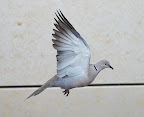
My "fast" lens is a AF Nikkor 50mm f/1.8D. It is small enough to fit in my pocket. It weighs just 155g compared to the 560g of my AF-S DX VR Zoom-Nikkor 18-200mm lens. It cost not much more than 150 euro. And it is much faster than the 18-200mm lens, which has a maximum aperture of just f/3.5.
The 50mm f/1.8D is not a DX lens, which means that the equivalent picture angle for most digital cameras is 75mm.
The 50mm f/1.8D has no zoom, but that is actually often a blessing. As I know I cannot change the zoom, I concentrate more on getting the other values right when in a hurry.
Luckily, 75 mm is more or less my favourite angle. I often end up there around even with the 18-200 lens.
The 50mm f/1.8D has no auto focus, when used on Nikon's low end DSLRs (D40, D40x or D60). That is not always that bad. It is sometimes easier to manually adjust the focus than to select the right focus points. Besides, manual focus is what our grand-parents used, and it worked fine for them.
With all other current Nikon DSLRs (including my D300) the auto focus should work.
Some review of the 50mm f/1.8D, claimed that it provides "super sharpness". That is a slight exaggeration, but the lens is more than adequate in most situations. I tested it on a tripod against my 18-200 zoom and the low end AF-S DX Zoom-Nikkor 18-55mm that came bundled with my D40X. I applied each of the lenses to my D300 and shot the same section of my bookshelf at maximum and minimum aperture. The low end 18-55 actually did slightly better than the 50mm f/1.8D. However, the difference was very small. In a handheld test, the 50mm f/1.8D of course was much sharper than the other two, as it allows for much bigger aperture and therefore quicker shutter speed.
Flash. I have not got much successful experience of flashes, which I find often end up too hard and artificial. Besides they do not work in long distance situations, like public evening football matches or Peking Opera.
Aperture. Increase the aperture (lower the F-value), and more light falls on the image sensor.
Shutter speed. Increase the shutter speed, and more light falls on the image sensor.
ISO. Increase the ISO value, and the image sensor becomes more light sensitive and can handle low light. At the same time noise increases in the picture. How high ISO values one can use with success depends much on the camera.
And then my favourite solution:
Change lens. It may not be intuitive to talk about "fast" or "slow" lenses. A lens is mostly fairly static glass, after all. However, some lenses allow for bigger aperture than others. That means that they work better in low light situations. Even in normal light, you can increase the shutter speed more, so it is easier to capture, for example, birds in flight.
My "fast" lens is a AF Nikkor 50mm f/1.8D. It is small enough to fit in my pocket. It weighs just 155g compared to the 560g of my AF-S DX VR Zoom-Nikkor 18-200mm lens. It cost not much more than 150 euro. And it is much faster than the 18-200mm lens, which has a maximum aperture of just f/3.5.
The 50mm f/1.8D is not a DX lens, which means that the equivalent picture angle for most digital cameras is 75mm.
The 50mm f/1.8D has no zoom, but that is actually often a blessing. As I know I cannot change the zoom, I concentrate more on getting the other values right when in a hurry.
Luckily, 75 mm is more or less my favourite angle. I often end up there around even with the 18-200 lens.
The 50mm f/1.8D has no auto focus, when used on Nikon's low end DSLRs (D40, D40x or D60). That is not always that bad. It is sometimes easier to manually adjust the focus than to select the right focus points. Besides, manual focus is what our grand-parents used, and it worked fine for them.
With all other current Nikon DSLRs (including my D300) the auto focus should work.
Some review of the 50mm f/1.8D, claimed that it provides "super sharpness". That is a slight exaggeration, but the lens is more than adequate in most situations. I tested it on a tripod against my 18-200 zoom and the low end AF-S DX Zoom-Nikkor 18-55mm that came bundled with my D40X. I applied each of the lenses to my D300 and shot the same section of my bookshelf at maximum and minimum aperture. The low end 18-55 actually did slightly better than the 50mm f/1.8D. However, the difference was very small. In a handheld test, the 50mm f/1.8D of course was much sharper than the other two, as it allows for much bigger aperture and therefore quicker shutter speed.
Saturday, July 12, 2008
What's the JPEG compression level?
When you save a file as jpeg you usually get an option to choose the compression or quality level. To know which level to choose you have one single reliable source: your own experience.
I did some experiments with a 2 Megabyte tiff file and measured the size when exported from different applications. The sizes varied widely between each application. Note that the only thing that can be measured absolutely is the file size - not the file quality. Quality can vary even more. The test was done with one single file. Other files may show very different behaviour.
Aperture and Photoshop have a scale from 0 to 12. An Aperture 12 jpeg was bigger than Photoshop 12. On the other hand, Aperture 0 was smaller than Photoshop 0, so Aperture's spread was wider.
Photoshop has a "Save for web..." option that increases the compatibility of the files. Here, the scale confusingly goes from 0 to 100. Both of those values are smaller than the corresponding files that result from "Save as..." in Photoshop with the settings 0 and 12.
Capture NX also goes from 0 to 100. It's 0 value is unusable, but Photoshop's 0 quality files, which are smaller, might work in some low requirement circumstances.
The gimp also goes from 0 to 100. It's 0 value quality looks like a bad computer game for a character based DOS program from the 1980ies, but it also is the smallest of them all.
All high quality jpegs look decent of course.
Numbers
Highest quality jpegs in each application: Aperture (1.1 M), Preview (1.1 M), Photoshop (912 k), Photoshop saved for web (780 k), Capture NX (712 k), gimp (644 k).
Lowest quality jpegs in each application: gimp (12 k), Photoshop saved for web (48 k), Capture NX (60 k), Preview (72 k), Aperture (76 k), Photoshop (88 k).
 Lowest quality jpeg in Photoshop
 Lowest quality jpeg in the gimp
I did some experiments with a 2 Megabyte tiff file and measured the size when exported from different applications. The sizes varied widely between each application. Note that the only thing that can be measured absolutely is the file size - not the file quality. Quality can vary even more. The test was done with one single file. Other files may show very different behaviour.
Aperture and Photoshop have a scale from 0 to 12. An Aperture 12 jpeg was bigger than Photoshop 12. On the other hand, Aperture 0 was smaller than Photoshop 0, so Aperture's spread was wider.
Photoshop has a "Save for web..." option that increases the compatibility of the files. Here, the scale confusingly goes from 0 to 100. Both of those values are smaller than the corresponding files that result from "Save as..." in Photoshop with the settings 0 and 12.
Capture NX also goes from 0 to 100. It's 0 value is unusable, but Photoshop's 0 quality files, which are smaller, might work in some low requirement circumstances.
The gimp also goes from 0 to 100. It's 0 value quality looks like a bad computer game for a character based DOS program from the 1980ies, but it also is the smallest of them all.
All high quality jpegs look decent of course.
Numbers
Highest quality jpegs in each application: Aperture (1.1 M), Preview (1.1 M), Photoshop (912 k), Photoshop saved for web (780 k), Capture NX (712 k), gimp (644 k).
Lowest quality jpegs in each application: gimp (12 k), Photoshop saved for web (48 k), Capture NX (60 k), Preview (72 k), Aperture (76 k), Photoshop (88 k).
 Lowest quality jpeg in Photoshop
 Lowest quality jpeg in the gimp
Resizing JPEG, TIFF and PSD in Mac OS X
To resize pictures it is usually safest to use an application like Photoshop or the gimp to do it, to keep control of what is happening.
However, in Mac OS X 10.5 (Leopard) one can also automatise resizing directly without any additional applications. The blog PagesFAQ describes how to do it with AppleScript or Automator.
However, in Mac OS X 10.5 (Leopard) one can also automatise resizing directly without any additional applications. The blog PagesFAQ describes how to do it with AppleScript or Automator.
Friday, July 11, 2008
How much ... do I need?
Every now and then a question is asked with the pattern "How much of X do I need?": "How many pixels do I need?" or "How much zoom do I need?" or "How much ISO do I need?" There is only one valid answer to those questions. It is: "That depends".
There is basically no upper limit to what we could do, if we got a little more of everything.
Hasselblad just introduced a 50 million pixel camera. That is probably about 5 times as much as on any camera you ever held in your hands. Clearly you do not need that much to take a recognisable picture of auntie Kate. But equally clearly there are situation where you might want to crop down a picture to a level of detail, where you could use all those pixels. And if you had such a camera and you could take a highly detailed photo of Manhattan from the Empire State building, you would probably do it, and perhaps even print it out in large format and put it on your wall.
Nikon's D3 has ISO 6400. You would never use that if all the pictures you were taking were sunny beach pictures on the Seychelles. However, if you had it, you could take a lot of pictures you otherwise cannot take, like in badly lit streets late in the evening. Even on the Seychelles.
The weight in grams of your SLR may not feel disturbing. But if you are going on a long hike over several days, you usually want everything as light as possible. In the end you may select a simple pocket camera or just a phone camera, as carrying a sufficient amount of water into the dessert is more vital than a top notch camera.
The number of frames per second, the zoom factor, sensor size, there are always situations where you could use a little more.
That does not mean that it is worth the cost, of course. And even if it is worth the cost for your rich neighbour, it does not mean that it is worth the cost for you.
If someone says "I have all the... I want; I really do not want more," then there is a fairly good chance s/he lacks imagination. On the other hand if someone says "I absolutely need..." then there is a fairly good chance that he lacks the ability to adjust to reality and the size of his/her wallet.
There is basically no upper limit to what we could do, if we got a little more of everything.
Hasselblad just introduced a 50 million pixel camera. That is probably about 5 times as much as on any camera you ever held in your hands. Clearly you do not need that much to take a recognisable picture of auntie Kate. But equally clearly there are situation where you might want to crop down a picture to a level of detail, where you could use all those pixels. And if you had such a camera and you could take a highly detailed photo of Manhattan from the Empire State building, you would probably do it, and perhaps even print it out in large format and put it on your wall.
Nikon's D3 has ISO 6400. You would never use that if all the pictures you were taking were sunny beach pictures on the Seychelles. However, if you had it, you could take a lot of pictures you otherwise cannot take, like in badly lit streets late in the evening. Even on the Seychelles.
The weight in grams of your SLR may not feel disturbing. But if you are going on a long hike over several days, you usually want everything as light as possible. In the end you may select a simple pocket camera or just a phone camera, as carrying a sufficient amount of water into the dessert is more vital than a top notch camera.
The number of frames per second, the zoom factor, sensor size, there are always situations where you could use a little more.
That does not mean that it is worth the cost, of course. And even if it is worth the cost for your rich neighbour, it does not mean that it is worth the cost for you.
If someone says "I have all the... I want; I really do not want more," then there is a fairly good chance s/he lacks imagination. On the other hand if someone says "I absolutely need..." then there is a fairly good chance that he lacks the ability to adjust to reality and the size of his/her wallet.
Subscribe to:
Posts (Atom)